

Who’s eligible today?
Are you thinking about switching to VoIP but wondering what kind of phone you’ll need? You’re not alone.
Many people assume they need expensive, specialized equipment to make the switch, but that’s not always true.
The shift from traditional phone lines to Voice over Internet Protocol (VoIP) is happening everywhere.
Whether you’re a small business owner getting ready for this change or someone working from home who wants to save money on phone bills, choosing the right phone with VoIP can make all the difference.
With old landline systems being phased out and internet calling becoming the new standard, picking the right device will affect your call quality, how efficiently you work, and how much you spend.
This guide will walk you through everything you need to know about VoIP phones, from basic requirements to advanced features.
What Is VoIP and How Does It Work with Phones?
Think of VoIP as a way to make phone calls using your internet connection instead of traditional phone lines. Instead of your voice traveling through copper wires, VoIP turns your voice into digital information that travels over the internet, just like an email or a web page.
This means any phone with VoIP capability needs to handle these digital signals properly. The good news? VoIP is incredibly flexible. Unlike old phone systems that needed specific wiring, VoIP works with many different types of devices, from special internet phones to apps on your smartphone.
To use VoIP, you need just three things:
- A good internet connection with enough speed
- A VoIP service provider
- A device to make and receive calls
The device part gives you the most choices. You can pick from several options depending on what you need, how much you want to spend, and what features matter most to you.
What Types of Phones Work with VoIP?
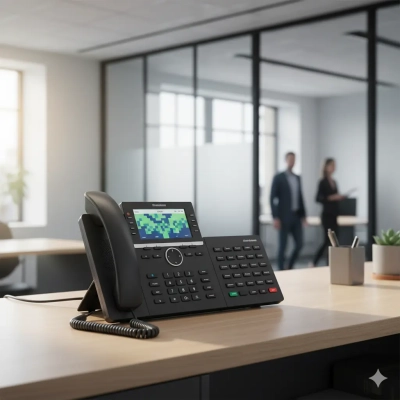
IP Phones (The Professional Choice)
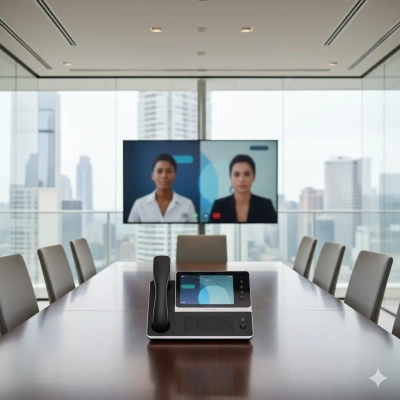
IP phones are built specifically for VoIP calling. These are the phones you’ll often see in offices, and they’re designed to give you the best possible experience with internet calling.
What makes IP phones special:
- Crystal clear sound quality that’s often better than old landlines
- Built-in features like conference calling, call forwarding, and voicemail
- Easy to set up and use
- Professional appearance for business settings
- Can handle multiple phone lines at once
IP phones plug directly into your internet router or connect through WiFi. No adapters needed. They’re perfect if you make a lot of calls or run a business where phone quality matters.
Best for: Businesses, customer service teams, sales professionals, and anyone who spends a lot of time on the phone.
Softphones and Mobile Apps (The Flexible Option)
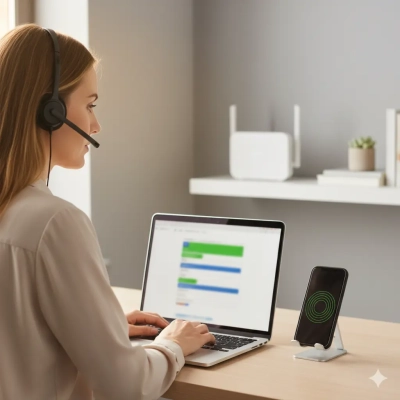
A softphone is just a fancy name for phone software that runs on your computer, tablet, or smartphone. Popular examples include Microsoft Teams, Zoom Phone, Skype for Business, and many others.
Why people love softphones:
- Use devices you already own
- Make calls from anywhere with internet
- Usually much cheaper than buying new hardware
- Easy to install and start using right away
- Great for people who travel or work remotely
Your smartphone can become a powerful phone with VoIP capabilities just by downloading an app. Many of these apps now offer HD calling, video conferencing, and messaging all in one place.
Best for: Remote workers, travelers, small businesses, and anyone who values mobility over a traditional desk phone setup.
Regular Phones with ATA Adapters (The Budget-Friendly Bridge)
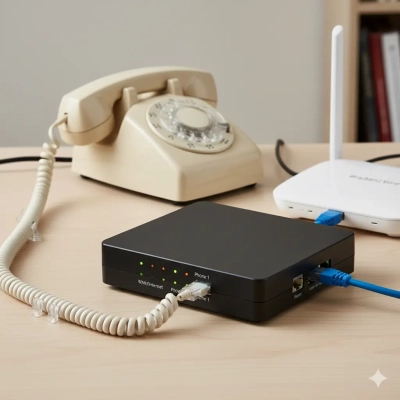
Already have a regular phone you love? An Analog Telephone Adapter (ATA) can turn it into a phone with VoIP without buying new equipment. The ATA is a small box that converts your regular phone’s signals so they work with VoIP.
Pros of using an ATA:
- Keep using your existing phone
- Much cheaper than buying new equipment
- Simple to set up (just plug it in)
- Familiar to use since it’s the same phone
Cons to consider:
- You’ll miss out on many VoIP features
- Call quality depends on your old phone and the adapter
- May not work as well long-term as dedicated VoIP equipment
ATAs are great for getting started with VoIP without spending much money, or if you just need basic calling without fancy features.
Best for: People on tight budgets, those who want to test VoIP before fully committing, or anyone who just needs simple calling.
What Features Should You Look For?
Sound Quality (Most Important)
The whole point of a phone is to have clear conversations, so sound quality should be your top priority. Look for phones that support “HD audio” or “wideband audio.” These terms mean the phone can deliver much clearer sound than old-fashioned phones.
What to look for:
- HD audio support for crystal-clear conversations
- Noise cancellation to reduce background sounds
- Good speakers and microphones for hands-free calling
- Echo cancellation so you don’t hear your own voice coming back
Easy Connection Options
Your phone with VoIP needs to connect to the internet reliably. Here’s what works best:
Wired connections (most reliable):
- Ethernet cable connection for the most stable calls
- Power over Ethernet (PoE) so you don’t need a separate power cord
Wireless options (more flexible):
- WiFi for phones you might move around
- Bluetooth for connecting wireless headsets
User-Friendly Design
Some phone with VoIP devices offer advanced business features:
- Multiple phone line support
- Call forwarding and transfer
- Conference calling
- Integration with your computer programs
- Detailed call logs and reporting
Business Features (If You Need Them)
- Smoother hybrid work: higher upload (e.g., 1000/100) helps video calls, cloud docs and VoIP.
- Less congestion at night: bigger headroom for 4K streaming and game downloads during the 7–11pm busy window.
- Room to grow: Multi-gig (2000 Mbps) supports 2.5GbE/10GbE home-office setups and fast cloud backups for SMEs.
How Much Should You Spend?
Budget Options ($30-$100)
What you get:
- Basic VoIP calling that works well
- Simple features like caller ID and voicemail
- Decent sound quality for everyday use
- ATA adapters fall into this price range
Good for: Small businesses just starting with VoIP, home users, or anyone who mainly needs basic calling.
Mid-Range Choices ($100-$250)
What you get:
- Better sound quality and build quality
- Color screens and more programmable buttons
- Advanced calling features
- Professional appearance
- Good balance of features and price
Good for: Most businesses, professional offices, and people who make frequent calls for work.
Premium Options ($250+)
What you get:
- Top-notch sound quality and construction
- Large color touchscreens
- Extensive business features
- Integration with advanced phone systems
- Maximum reliability and performance
Good for: Executive offices, call centers, customer service departments, and businesses where phone quality directly affects success.
Setting Up Your VoIP Phone System
Internet Requirements
Each phone call needs about 100k of internet speed. That might not sound like much, but if multiple people are making calls at the same time, it adds up quickly. Make sure your internet is fast and reliable enough for your needs.
Tips for better performance:
- Get business-grade internet if you’re running a company
- Set up your network to prioritize phone calls over other internet use
- Consider backup internet if phones are critical for your business
- Test your internet speed regularly
Network Setup
For the best experience with any phone with VoIP system:
- Use quality networking equipment
- Set up separate network areas for phones and computers if possible
- Make sure your WiFi is strong where you’ll use wireless phones
- Keep your network equipment updated and secure
Security Considerations
Since VoIP calls travel over the internet, security matters:
- Use strong passwords on all your phone equipment
- Keep phone software updated
- Work with reputable VoIP service providers
- Be cautious about phone calls from unknown numbers
Planning for the Future
Technology Changes
VoIP technology keeps getting better. When choosing a phone with VoIP system, pick equipment from companies that regularly update their products with new features and security improvements.
Look for phones that can be updated with new software so you don’t have to replace them when new features become available.
Growing Your System
Think about how your phone needs might change:
- Will you hire more people who need phones?
- Might you add video calling later?
- Do you plan to integrate phones with other business software?
- Will you need phones in multiple locations?
Choosing flexible systems now can save you money and hassle later.
Making Your Decision
The best phone with VoIP for you depends on your specific situation:
Choose an ATA adapter if: You want to save money, have phones you like, and only need basic calling.
Choose a softphone/app if: You work remotely, travel frequently, or want maximum flexibility.
Choose an IP phone if: You make lots of calls, run a business, or want the most professional experience.
Choose premium equipment if: Phone quality directly affects your business success or customer satisfaction.
Getting Started
Ready to make the switch? Here’s how to get started:
- Assess your needs: How many people need phones? What features matter most?
- Check your internet: Make sure it’s fast and reliable enough
- Choose a VoIP provider: Research companies that serve your area
- Start small: Try one or two phones before converting everything
- Plan the transition: Don’t rush, especially for businesses
The move to VoIP isn’t just about changing technology. It’s about improving how you communicate while saving money and gaining flexibility. With the right phone with VoIP setup, you’ll wonder why you waited so long to make the switch.
Remember, you don’t need to be a tech expert to use VoIP successfully. Focus on finding reliable equipment that meets your needs and budget, work with a good service provider, and don’t be afraid to start simple and add features as you learn what works best for you.