

Stop Buffering, Start Understanding Your Connection
Ever been kicked out of a Zoom meeting because your internet decided to take a break? Or watched Netflix freeze at the worst possible moment? You’re not alone, and there’s a simple way to find out what’s going wrong: an internet speed test.
This guide will show you how to test your connection properly, understand what those numbers actually mean, and fix common problems, no tech degree required.
Why Internet Speed Tests Matter
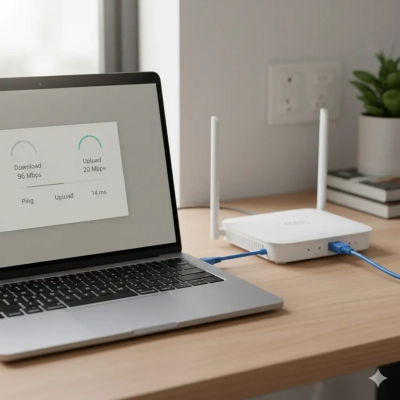
An internet speed test measures how quickly data travels between your device and a server. It tells you three important things:
- Download speed – How fast you can pull data (streaming, browsing, downloads)
- Upload speed – How fast you can send data (video calls, cloud uploads)
- Latency (ping) – How quickly your connection responds (gaming, real-time chat)
Here’s why you should care: According to the ACCC’s Measuring Broadband Australia report, the average NBN connection reaches 96% of its maximum speed during peak hours. That’s good, but it means 4% of performance goes missing, and for some households, it’s much worse.
Regular speed tests help you spot problems early and hold your ISP accountable.
How to Run a Speed Test (The Right Way)
Step 1: Get Connected Properly
For the most accurate results, connect your device directly to your modem or router with an Ethernet cable. Wi-Fi can be affected by walls, distance, and other devices, so a wired connection gives you the true baseline.
Step 2: Choose Your Testing Tool
Popular options for Australian users:
- Aussie Broadband speed test (uses local servers)
- Speedtest by Ookla
- Fast.com (powered by Netflix)
- ACCC’s speed test tool
Step 3: Prepare for Testing
- Close all applications (streaming services, downloads, cloud backups)
- Make sure no one else is using the internet
- Disconnect smart home devices if possible
Step 4: Run the Test
Click “Start” and wait about 30 seconds. The test will show your download speed, upload speed, and ping time.

Understanding Your Results
What Is Mbps?
Mbps stands for “megabits per second”, the standard measurement for internet speed.
Quick conversion: A 100 Mbps connection can download about 12.5 megabytes per second (since 8 megabits = 1 megabyte).
What About Latency?
Latency (measured in milliseconds) shows how responsive your connection is. Lower is better:
- Under 50ms – Excellent for gaming and video calls
- 50-100ms – Fine for browsing and streaming
- Over 100ms – You’ll notice lag in real-time activities
What's Considered a Good Speed?
It depends on your household and what you do online.
Activity-Based Guidelines
Activity | Speed Needed |
Streaming HD video (1080p) | 5 Mbps per stream |
Streaming 4K video | 25 Mbps per stream |
Video conferencing (Zoom, Teams) | 1.5-4 Mbps |
Online gaming | 3-10 Mbps (but needs low latency!) |
Working from home | 10-25 Mbps |
Household Recommendations
- Living alone, light use: 25 Mbps
- Couple or small family: 50 Mbps (NBN 50)
- Family of 4+ with heavy use: 100 Mbps or higher (NBN 100)
- Multiple people working from home + streaming: 100-250 Mbps
Reality check: Most Australian households use either NBN 50 (50 Mbps) or NBN 100 (100 Mbps). If your speed test shows you’re getting 30 Mbps on an NBN 50 plan, something’s wrong.
Why Is My Internet Slower Than Expected?
Common Culprits
- Wi-Fi Interference Physical obstacles like walls, appliances, and even fish tanks weaken your signal. The 2.4 GHz band is especially prone to interference from neighbors’ networks.
Solution: Switch to 5 GHz Wi-Fi or use Ethernet cables for important devices.
- Peak Hour Congestion Between 7 PM and 10 PM, everyone’s streaming, gaming, and browsing. Older infrastructure or overloaded ISPs struggle to keep up.
Solution: Test at different times to confirm. If it’s always slow at peak hours, contact your ISP.
- Old Equipment A router from 2015 can’t handle modern speeds. Simple as that.
Solution: Check if your router supports your plan’s speed. Upgrade if needed.
- Background Apps Automatic updates, cloud syncing, and smart home devices consume bandwidth silently.
Solution: Check what’s connected to your network and disconnect unused devices.

How to Improve Your Speed Right Now
Quick Fixes (Try These First)
Reposition your router
- Place it centrally, elevated, away from walls
- Keep it away from microwaves and cordless phones
Reboot your equipment
- Power off modem and router
- Wait 30 seconds
- Turn them back on
Use Ethernet cables
- Connect work computers, gaming consoles, and smart TVs directly
- Eliminates Wi-Fi interference entirely
Switch to 5 GHz Wi-Fi
- Faster speeds, less congestion
- Shorter range than 2.4 GHz, but worth it for nearby devices
Update router firmware
- Check manufacturer’s website for updates
- Can improve performance and security
When to Upgrade Your Plan
If you’re maxing out your current speed and still experiencing slowdowns, you need a faster tier. Conversely, if you’re on NBN 100 but rarely use more than 30 Mbps, you could save money by downgrading.
Understanding NBN Technology Types
Your NBN connection type affects your maximum possible speeds:
Best Performance
FTTP (Fibre-to-the-Premises) Direct fibre connection. Can handle gigabit speeds with low latency.
Good Performance
FTTC (Fibre-to-the-Curb) and HFC (Hybrid Fibre-Coaxial) Reliable performance for most households.
Variable Performance
FTTN (Fibre-to-the-Node) Uses copper for the final stretch. Speed depends on distance from the node.
Limited Performance
Fixed Wireless Affected by weather and tower congestion. Typical speeds: 25-50 Mbps.
Sky Muster Satellite High latency (600ms+) makes real-time activities difficult. Best for remote areas only.
When to Contact Your ISP
Before You Call
Document your evidence:
- Run speed tests at different times over several days
- Test both wired and Wi-Fi connections
- Take screenshots showing speed, date, and time
What to Say
Be specific: “I’m on an NBN 100 plan but only getting 40 Mbps during peak hours.”
Ask: “Is there a known fault in my area? Does my connection need servicing?”
Your Rights
Australian consumer law requires ISPs to deliver what they advertise. If your provider consistently underdelivers, you may be entitled to:
- A plan downgrade with refund
- Free connection repairs
- Contract cancellation without penalty
The Telecommunications Industry Ombudsman (TIO) can help if your provider doesn’t resolve the issue.
Choosing Your Next Internet Plan
Use Speed Tests as Your Baseline
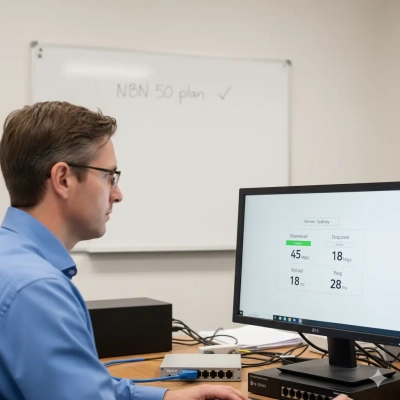
If you’re consistently maxing out your current speed, upgrade. If you’re barely using half your available bandwidth, downgrade and save money.
Compare Providers on Performance
Check the ACCC’s Measuring Broadband Australia reports. Top performers include:
- Aussie Broadband (consistently high ratings)
- Telstra (strong on premium plans)
- Optus (reliable performance)
Match Your Plan to Your Needs
- Remote workers uploading files: Prioritize upload speed
- Streaming households: High download bandwidth
- Gamers: Low latency over raw speed
- Video creators: Fast uploads + generous data
How Accurate Are Speed Tests?
What Makes Tests Accurate
- Using Australian servers (like Aussie Broadband’s test)
- Wired Ethernet connection
- No other apps running
- Multiple tests at different times
What Tests Can’t Tell You
Speed tests measure your connection to the test server, not to every website on the internet. You might get great test results but still experience slow loading on specific sites if their servers are overloaded.
Bottom line: Speed tests are valuable diagnostic tools, but they’re one piece of the puzzle, not the complete picture.
Quick Reference: Common Questions
Q: How often should I run speed tests? Monthly checks are fine unless you’re experiencing problems. Then test multiple times across several days.
Q: Should I test on Wi-Fi or Ethernet? Ethernet for troubleshooting and accurate measurements. Wi-Fi tests show real-world performance but include interference factors.
Q: What time of day should I test? Test during peak hours (7-10 PM) since that’s when problems are most likely to occur.
Q: My speed varies throughout the day. Is that normal? Yes, especially during peak hours. If the variation is extreme (50 Mbps at noon, 15 Mbps at 8 PM), contact your ISP.

Take Action Today
Don’t accept slow internet as inevitable. Here’s your action plan:
- Run a speed test right now (using the Aussie Broadband tool or Ookla)
- Compare your results to your plan’s advertised speed
- Try the quick fixes if you’re underperforming
- Contact your ISP with documented evidence if problems persist
- Consider upgrading or switching if your current plan doesn’t meet your needs
You’re paying for reliable internet, make sure you’re getting it.